Documentation
What Lexabrief can do
Everything on this page is something the product does today. Each entry gives the prompt that invokes it and what comes back.
The same list is in the product, behind What can Lexa do? in the case sidebar. Tap a question to load it into your message. Edit it, then Send.
Understand what's on file
Lexa reads every document in this case and answers out of them, naming the page each point came from.
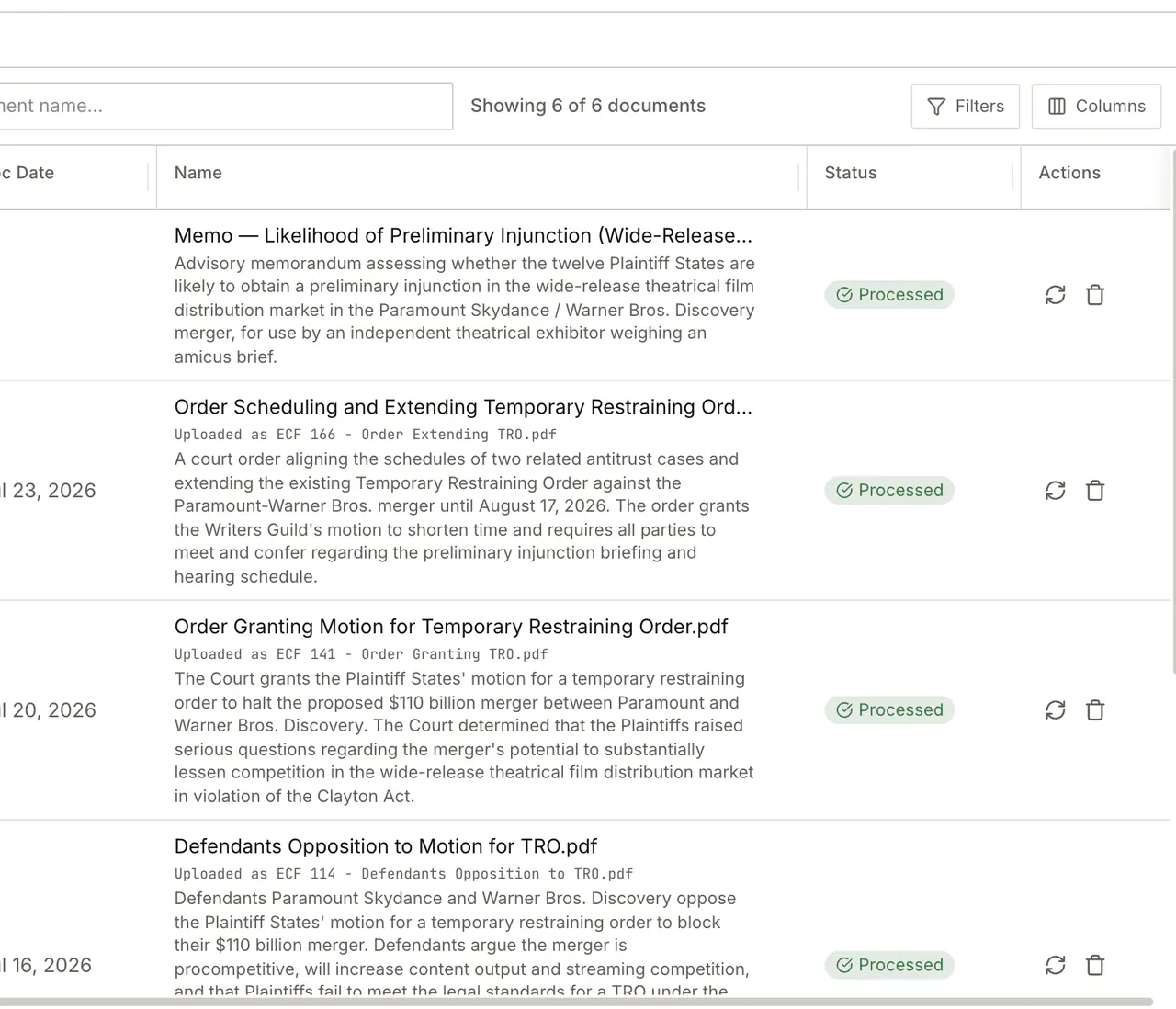
What is this case really about?
Reads the whole record and gives you the shape of the matter, with the pages behind it.
Read what's on file and tell me what this case is really about.
Who is involved, and what dates matter?
Pulls the parties, the court, the judge and every date on file into one list.
Pull the parties, court, judge, and key dates from what's on file.
What happened, and when?
Builds a dated timeline from the documents, each entry tied to the page it came from.
Build me a chronology from the documents, and flag any gaps.
What is admitted, disputed, or unanswered?
Sorts the facts by whether the other side conceded them, fought them, or left them alone.
Tell me which facts are admitted, disputed, or unaddressed so far, and where each one comes from.
What proves each part of my case?
Lines up the evidence behind every element of your claims and defenses, and shows what has none.
Map each element of each claim to the evidence I have, and show me the elements with nothing behind them.
What does this order require of me?
Reads the most recent order and states what it obliges you to do, and the dates it falls due.
Read the latest order in this case - what does it actually require, and by when?
Research the law
Lexa searches California and federal law and comes back with the passage that governs, not a summary you have to trust.
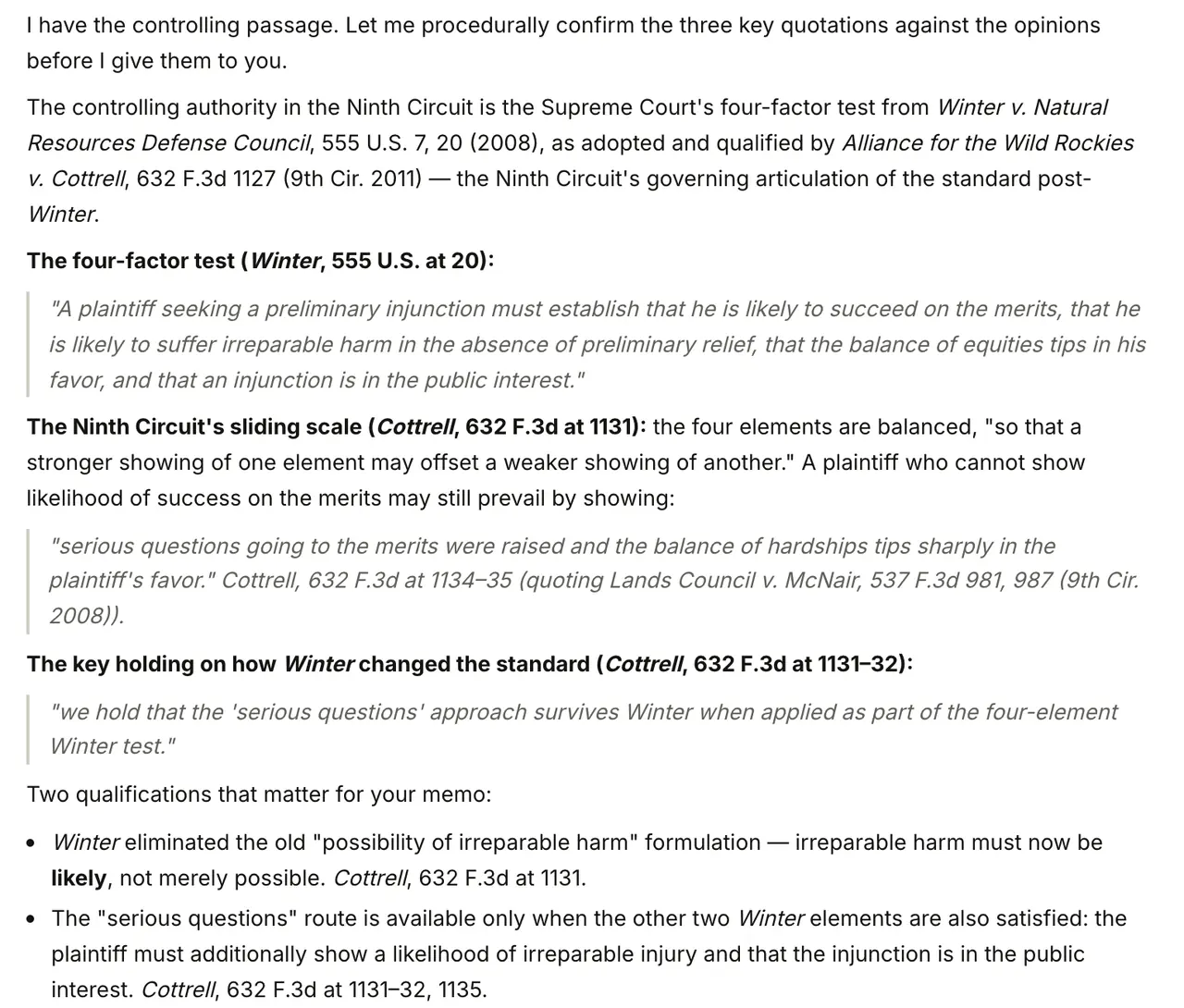
Find me cases on point.
Searches the case law and returns the passage that governs, with its pincite.
Find controlling cases on point for the central legal issue, in this matter's jurisdiction.
What is the test here, and where do we stand on it?
Names the standard the court will apply and walks each part of it against your facts.
What is the governing framework for the central issue, and where do we stand on each part?
What does the statute actually say?
Pulls the statute or code section and quotes the language that decides the question.
Look up the statute that governs the central issue here and quote the operative language.
What will the other side cite against me?
Finds the best authority for the other side, so it does not reach you first in their brief.
Find the strongest authorities against my position on the central issue, and tell me how to meet them.
Is this authority still good law?
Looks for later decisions that criticise, limit, or overrule what you are leaning on.
Check whether the authorities I am relying on are still good law, and flag anything that undercuts them.
Write it, then check it
Lexa writes into a document beside the chat, then checks its own work against your record and against the reporters.
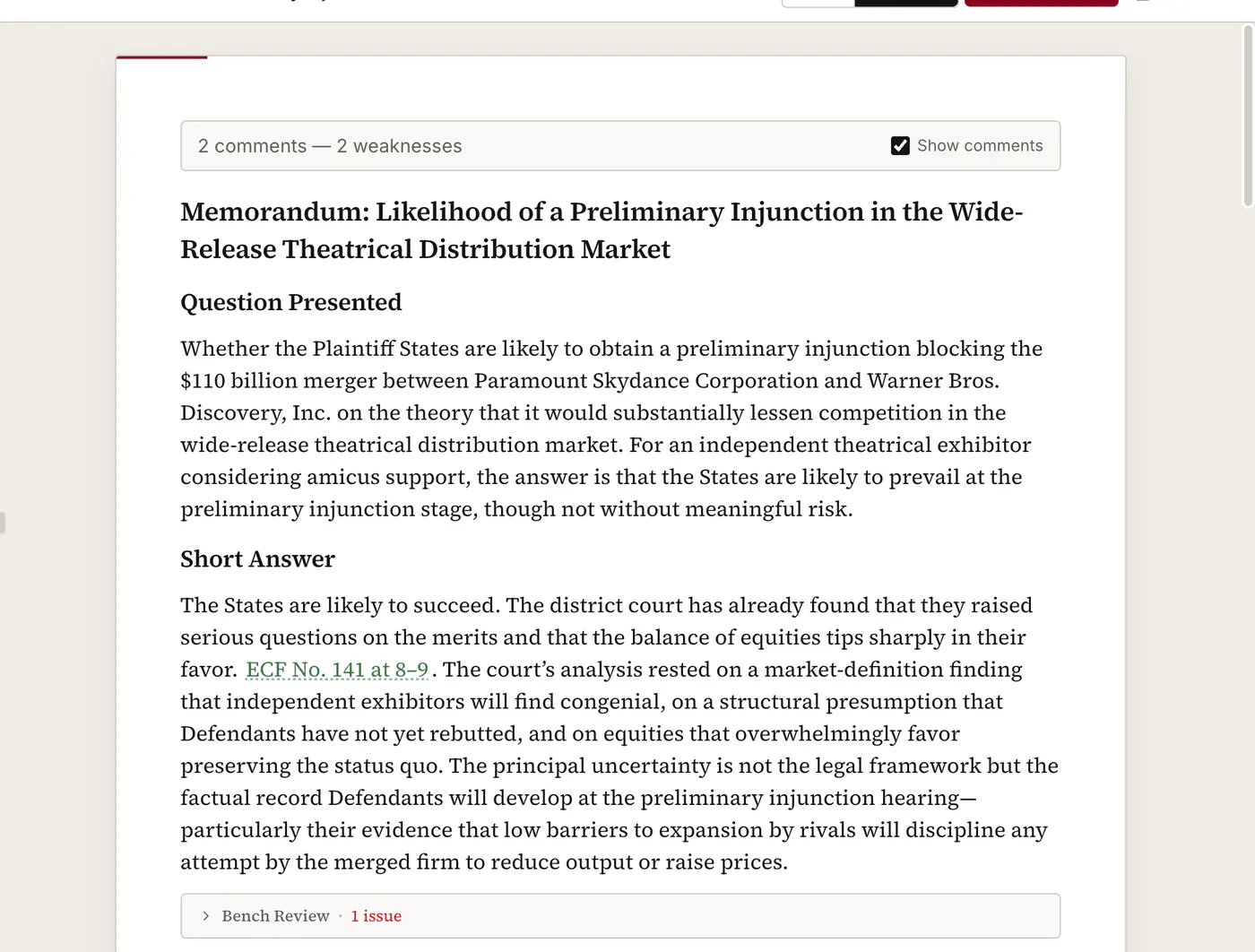
Write me a memo I can hand to a partner.
Produces the memo in a document you can edit and export to Word, with page pins on every proposition.
Write a one-page case memo I can hand to a partner tomorrow.
Draft the argument section of a motion.
Builds the argument out of the facts and authorities already in this case.
Draft the argument section of a motion using the strongest facts and authorities on file.
Write a demand letter to the other side.
Drafts the letter from the facts on file, in a register you can send.
Draft a demand letter to opposing counsel - firm but professional.
Can I draft the facts section?
Composes the facts narrative from the record, sentence by sentence, each one tied to its page.
Turn this record into a statement of facts, with a record citation on every sentence.
Where is this draft weak?
Reads the draft the way an unsympathetic judge would, and marks the soft spots in place.
Act as a neutral judge and critique the current draft - flag every weakness inline.
Do my citations hold up?
Reads each cited source and tells you which citations are sound and which need your judgment.
Check that each cited authority in the current draft actually supports the proposition it is cited for.
Is my filing complete?
Checks the paper against the court's rules for that kind of filing, and names what is missing.
Check what I am about to file against the court's rules for that kind of paper, and tell me what is missing.
Check a draft you already have
You do not have to have drafted in Lexabrief to use the checking. Upload your own brief, or the one served on you, and every citation in it comes back checked against its source. On a brief served on you, the same pass reports what it cites that your record does not contain.
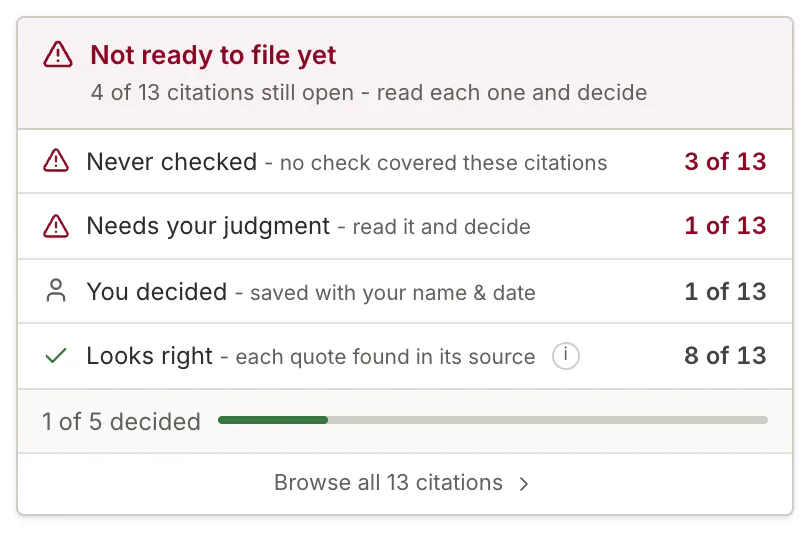
Check that each cited authority in the current draft actually supports the proposition it is cited for.
Assemble and check a filing
Lexabrief plans a filing set as one thing rather than a pile of separate documents: notice, points and authorities, declarations, proposed order, request for judicial notice and proof of service, kept consistent with each other. Ask "Is my filing complete?" and it answers in two halves, in the order the question is actually asked: is each paper formatted right, and are the right papers here.
The formatting half runs against an exported Word file and reports each rule it checked, each rule that passed, and each rule that did not apply to that kind of paper. Which rules apply depends on the format profile you exported with: Standard document, California pleading, court filing, Letter, Memo, Agreement. Exporting a court paper under the standard profile leaves the caption, page-limit and line-numbering rules with nothing to measure, so the panel names the profile that decided the run.
Your own library, across every case
The personal knowledge base at /knowledge-base is a library Lexa can consult from any case: statutes you rely on, opinions you keep coming back to, your own memos and model briefs. Upload once and the agent can reach for it on whatever matter you are working. It is separate from a case's record, and it is never mixed into another user's work.
What it does not do
Said plainly, because finding out later is worse:
- Written discovery drafting is not available. Lexabrief does not draft interrogatories or requests for production and admission today. When that changes, this page changes with it.
- Research outside California and federal law. Another state's cases and rules are outside the corpus, and the filing checks encode the California Rules of Court alone.
- Full-text search across a case. The search box above the documents table filters by document name. To find something inside the record, ask Lexa for it.
- Filing with a court. Lexabrief produces the Word file. Serving and filing it remains yours.
- Deciding anything. Every flagged citation and every judgment call comes back to you by design.