Documentation
Getting started
Six steps take you from an empty account to an answer written out of your own documents. Nothing below costs money until step six.
1. Create an account
Sign up at /signup. Continue with Google, or use your email address and create a password. Those are the only details account creation asks for. If you sign up with an email address, a verification link is sent to it and the workspace stays closed until you follow that link. The screen has a Resend button and re-checks itself when you come back.
New accounts receive 100 credits, once. Credits never expire, and they are spent only when a model does work for you: uploading and reading documents, OCR on scans, and storage inside your plan are free. Free accounts get 500 MB of storage.
2. Open a case
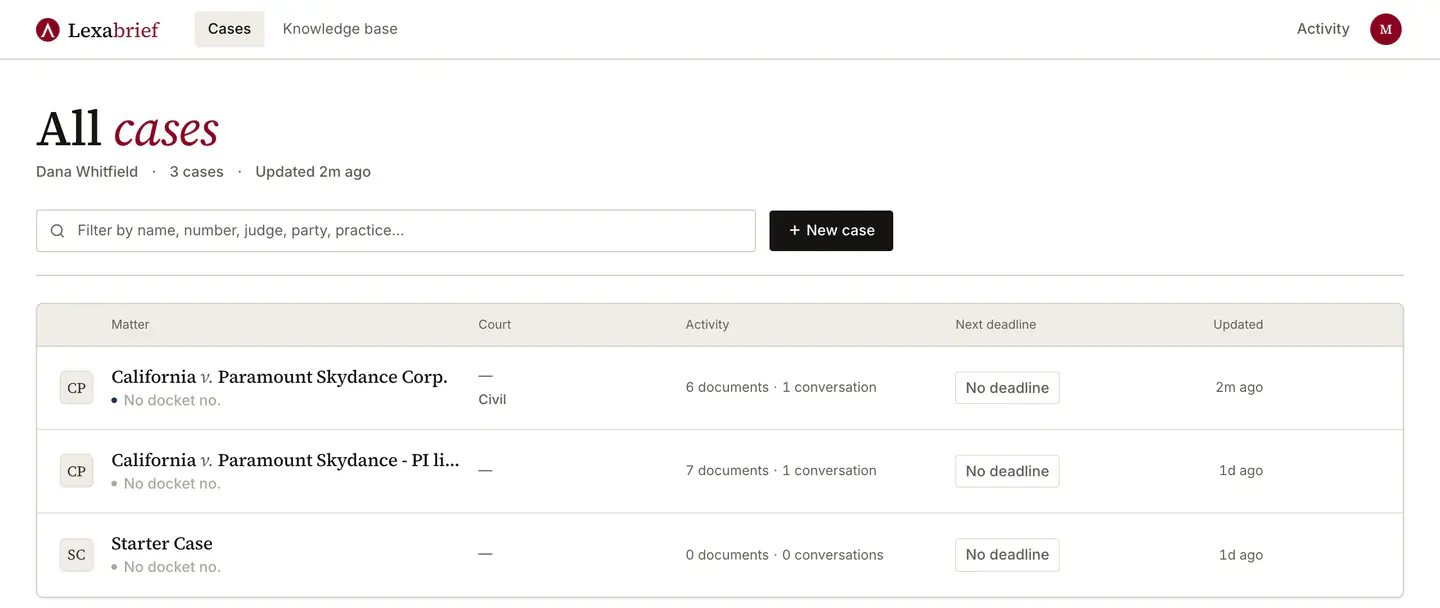
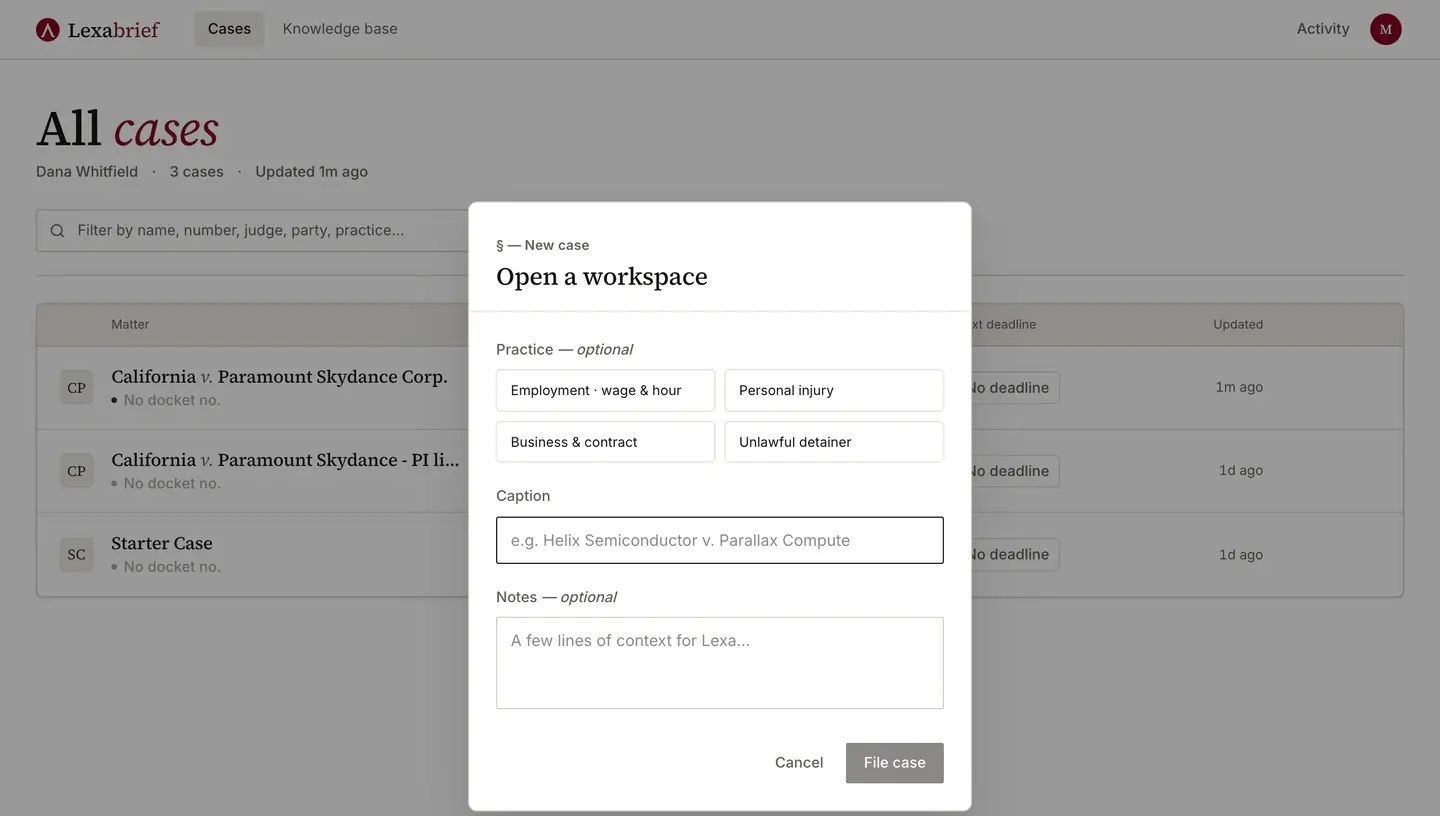
Your first sign-in provisions one private matter called "Starter Case" so there is somewhere real to try this. For actual work, use New case on the home screen: it takes a title and a short description, and the practice templates set the matter type for you.
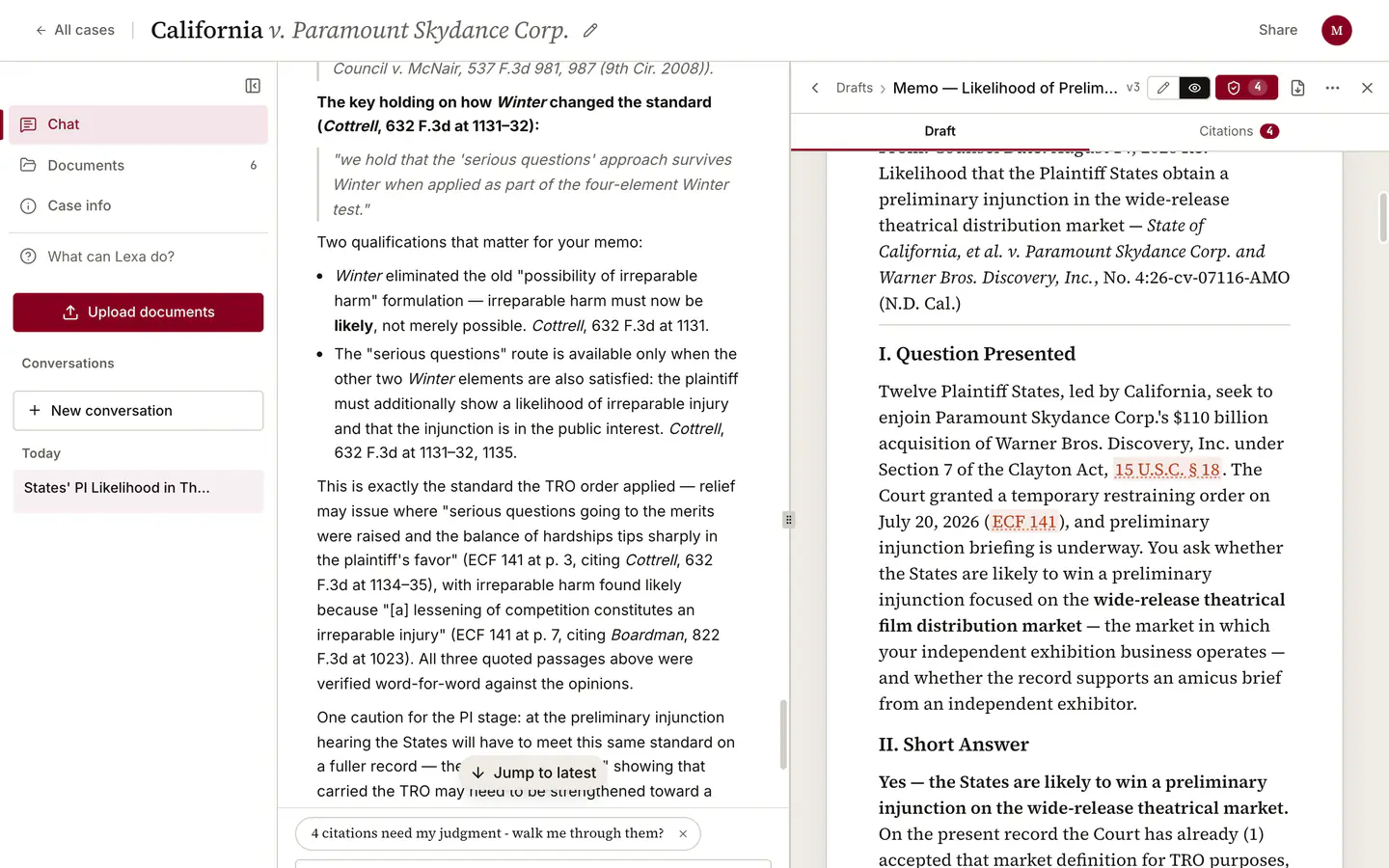
A case is the unit of everything. Documents, conversations, drafts and citation checks all live inside one case, and Lexa never reaches into another one. Inside a case there are three places to be: Chat (ask lexa, and draft with her), Documents (everything filed in this case), Drafts (what lexa has written in this case), Case info (parties, court, and key dates).
3. Upload the record
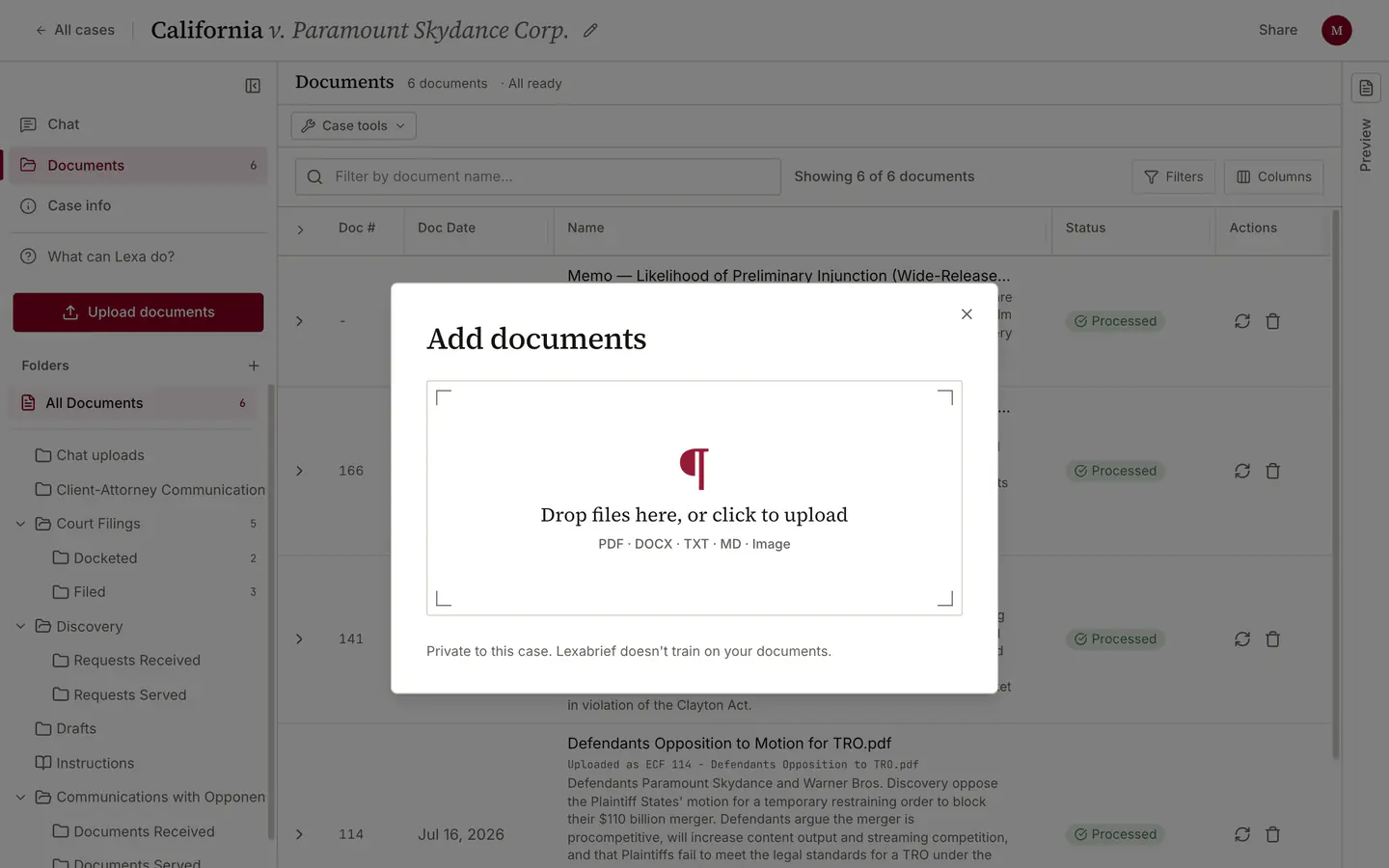
Upload documents sits in the case sidebar in every view, and the empty documents table takes a drag and drop. Upload the pleadings, the discovery responses, the deposition transcripts, the exhibits, the order you are responding to. This is the record Lexa answers out of, so what you leave out, it cannot see.
- JPEG image
- PNG image
- GIF image
- WebP image
- TIFF image
- PDF (including scans, which are read with OCR)
- Plain text (.txt)
- Markdown (.md)
- CSV (.csv)
- Word (.docx)
- Excel (.xlsx)
- Email (.eml)
- Outlook message (.msg)
Up to 30 files per batch, 200 MB per file. Scanned PDFs are read with OCR, which takes longer than a text PDF of the same length.
4. Wait for processing
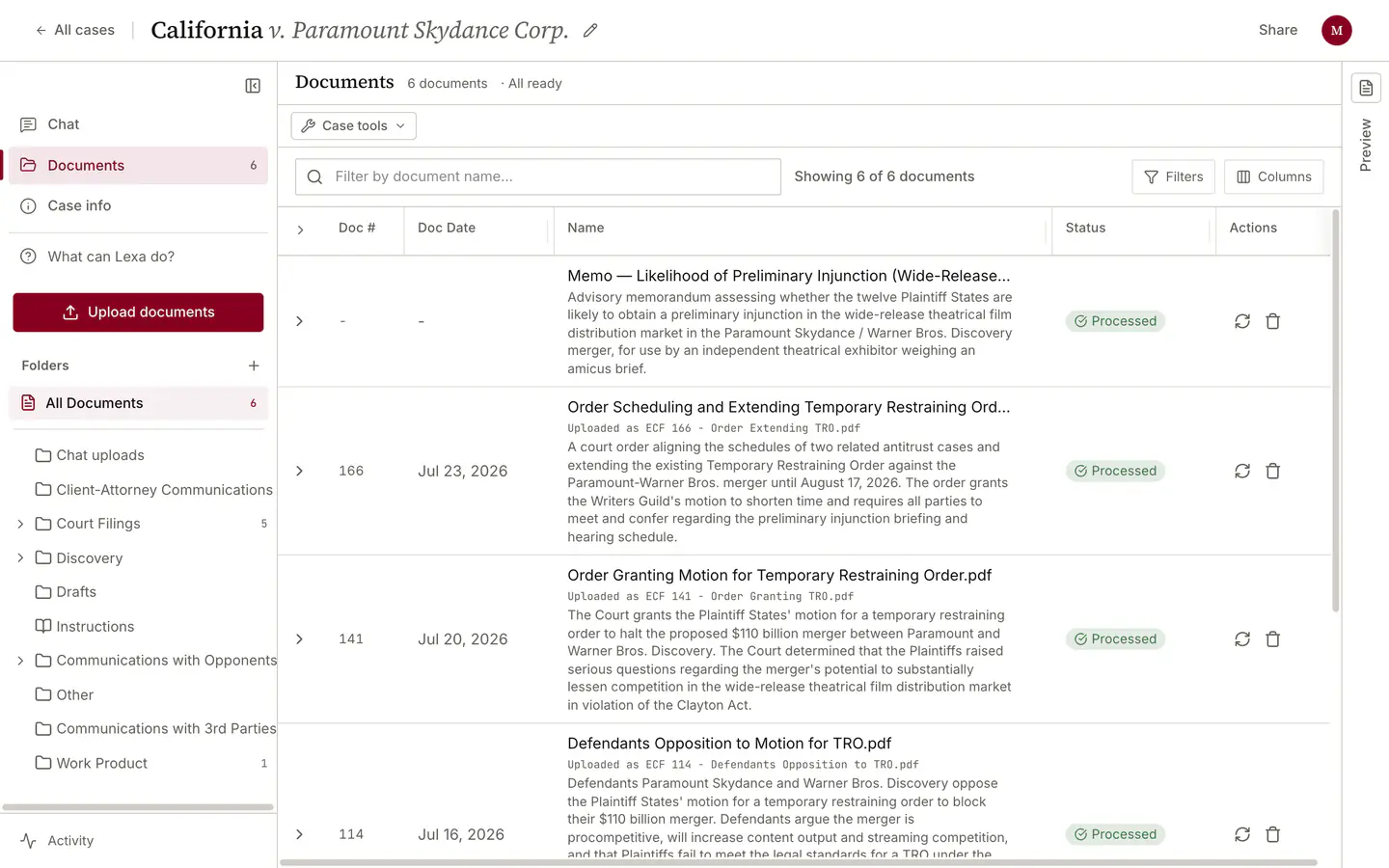
Each uploaded file goes through two stages before Lexa can retrieve from it: the text is extracted (with OCR where the page is an image), then the text is indexed for search. A document is ready only when both have finished, and the header on Chat and Documents states the count as it changes, for example "4 of 6 documents ready".
How long depends on page count and whether the pages are scans: a short text PDF is usually a minute or two, a long scanned transcript can run to several. Processing continues if you close the tab.
You are not blocked while this happens. The message box stays live, so a question about the law is answerable while exhibits are still indexing. A question about the record is worth waiting for.
5. Find out what to ask
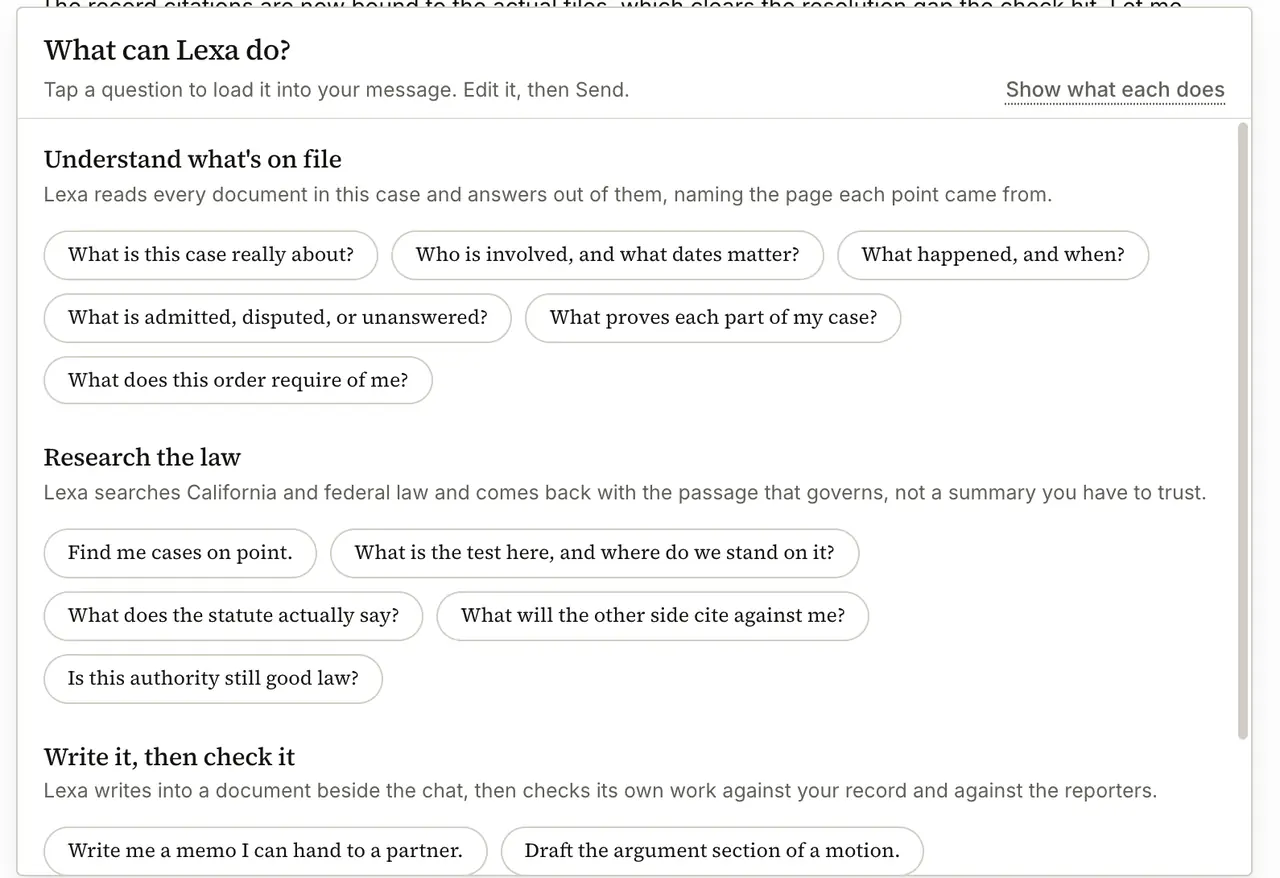
What can Lexa do? in the case sidebar opens the full catalog of what the product does, grouped into "Understand what's on file", "Research the law", "Write it, then check it". Tap a question to load it into your message. Edit it, then Send.
That last part matters: tapping a question never starts a run. The sentence lands in your message box, you edit it into your matter's own facts, and nothing is spent until you press Send.
6. Ask your first question
On a case with documents in it, the question that teaches you the most about what you have is this one:
Read what's on file and tell me what this case is really about.

What to expect while it runs: Lexa works in steps and narrates them, so you will see it reading documents, searching, and composing rather than a blank spinner. A short question about one document comes back in a moment. A research or drafting run works for minutes, sometimes many, and keeps running if you switch views or close the tab.
The model picker beside the message box offers DeepSeek V4.1 Flash (fast, capable work with low relative usage), GPT-6 Luna (fast, efficient reasoning with a large working context), GPT-5.6 Luna (efficient reasoning with a large working context), GLM 5.3 Flash (fast agentic work with low relative usage), Gemini 3.8 Flash (strong reasoning for complex research and drafting), and GPT-6 Sol (deep analysis for the most demanding work). DeepSeek V4.1 Flash is the default and is the right choice for most questions; the heavier models reason over more and cost more per answer.
When Lexa writes something long, it opens a document beside the chat instead of pouring prose into the transcript. That document is editable, it is where the citation check runs, and it is what exports to Word.